Building a Self-Serve Design System for Sales Teams
Sales reps skip marketing assets because they need answers in hours, not weeks.
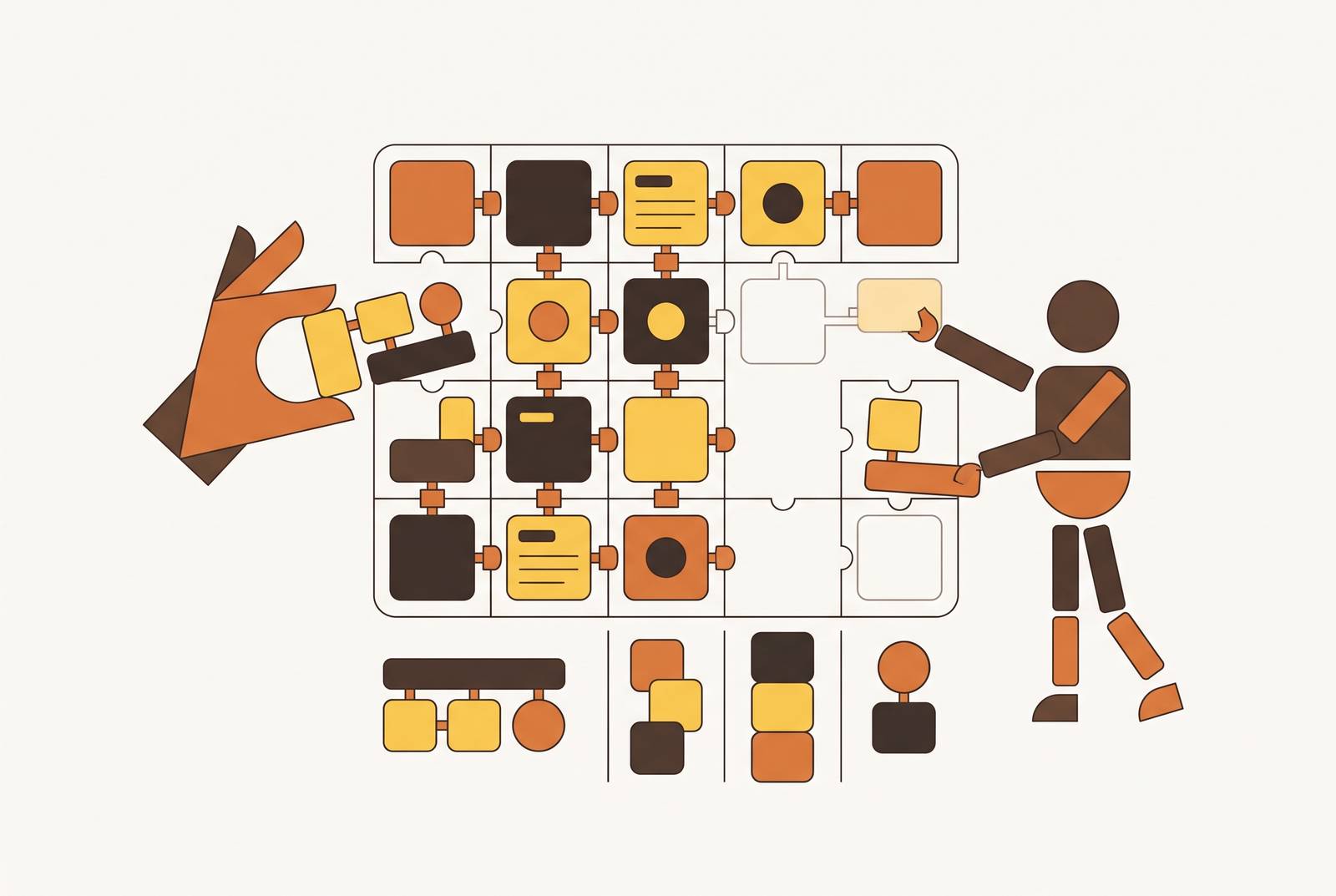
A rep on a call needs a one-pager today. The asset marketing built for exactly this situation sits in a shared drive somewhere, on-brand and untouched, because nothing about how it was built accounts for how fast a deal actually moves. That's the gap this piece is about: not a shortage of design assets, but a mismatch between how those assets get made and how selling actually works.
Why sales reps ignore marketing's design assets
Reps spend only 25% of their working hours on direct selling, with the rest going to admin, reporting, and content creation, Salesforce's 2026 State of Sales report found. That number alone explains most of the behavior marketing teams find so baffling. When a polished deck sits behind a request form, a two-day turnaround, or a brand review cycle, it becomes a delay with a logo on it. It's a delay with a logo on it.
The bottleneck was never a shortage of creativity. It's latency. A proposal that needs to go out this afternoon can't wait on a queue built for campaigns that launch in three weeks, and a rep swapping a company name and fixing a headline isn't going to file a ticket and wait. This piece works through how to remove the queue entirely, not how to make prettier assets.
Reps had no reason to wait for a deck that a queue was slowing down.
Self-serve design systems for sales teams
A design system, in the classical sense, is a centralized set of reusable components, design tokens, style rules, and documentation meant to keep output consistent across a brand. For a sales team, that definition needs one more word bolted onto it: self-serve. A rep has to be able to produce a deal-ready, on-brand asset without opening a ticket, pinging a designer, or waiting for anyone's blessing.
A lot of teams think they've solved this by buying five different AI tools and calling the pile a system. McKinsey's 2026 B2B research, cited in broader analysis of AI sales operations, found that the companies capturing value from AI are redesigning workflows around it instead of stacking new tools on top of the old process and hoping something clicks. A shared folder of templates is not a design system. A drawer full of disconnected generators that each do one small thing beautifully offers nothing beyond that.
A sales-facing design system has to do three things a marketing-facing one typically doesn't. It constrains without restricting, locking down the logo placement, color palette, and font stack while leaving every content field wide open for the rep to fill in. It organizes around the sales moment itself, proposals, one-pagers, case studies, QBR decks, email banners, rather than by design category the way a typical style guide does. And it requires zero design vocabulary to operate: a rep should be able to find, populate, and export an asset in roughly the same number of steps it takes to send an email.
None of that happens by accident. It happens because the system was built around how sales actually works, which is a fundamentally different rhythm than the one design teams are used to.
How sales workflows differ from design workflows
Design work is iterative by nature. It's generative, it invites exploration, and it's gated by review, because the whole point is to land on the best possible version of something before it ships. Sales work runs on the opposite clock. A rep needs one correct asset for one specific meeting. Linear beats iterative every time a deal clock is running.
The newer generation of AI sales tools already reflects this shift. Mutiny's 2026 research describes autonomous, multi-step workflows that compress hours of prep work into minutes, moving personalization from something only the marketing team could do into something any rep can do alone. A design system that wants to support that tempo has to move at the same speed, or it becomes the slowest part of the stack by default.
A design-convention-first system handed to a sales team produces three mismatches reliably. Templates get organized by format (brochure, social post, deck) instead of by deal stage (discovery, proposal, close), so reps waste time guessing which file applies to today's meeting. Brand approval gets baked into the editing process itself, so every small change triggers a review step that erases whatever speed advantage the tool was supposed to provide. And the assets get built for print or static display rather than for the channels reps actually use, email attachments, shared links, screen-shared decks, so the thing looks subtly wrong the moment it hits a real inbox.
HBR research summarized by MarketScale found that companies deploying new ways of working inside old organizational designs create a structural mismatch that limits what any technology can deliver, and the design system is organizational design, not just tooling. The fix here is a different org chart for how design decisions get made, not a better tool. The practical move is to build the system around the sales moment first, what does a rep need, for which kind of deal, at which stage, and let design conventions serve that structure rather than dictate it.
The four asset types a sales design system must cover
A system is only as good as the inventory it actually covers, and four categories account for most of the customer-facing content a rep needs to produce without help.
The master slides, cover, agenda, closing, stay locked so brand holds steady no matter what content changes around them. Mutiny fills the role of writing the account-specific narrative and building a deck from deal context directly. Perceptis AI automates proposals, QBRs, and account plans into presentation decks from prompts or existing documents. Whatever tool sits here, the output has to be a living, editable design, not a static AI-generated image, so a rep can tweak the talking points without losing the brand wrapper around them.
One-pagers, case studies, and proposals need something slightly different: a layout the rep genuinely cannot break, content blocks clearly marked "edit this" versus "do not touch," and clean export to PDF that doesn't degrade the design on the way out. Storydoc pushes this format further into interactive presentations that double as proposals, case studies, or landing pages, which matters for deals where a flat PDF just won't hold anyone's attention.
Social and outreach content, LinkedIn posts, email banners, carousel graphics, runs on a different production model entirely. AI content atomization, pulling key points out of a long asset and reformatting them for each channel, turns one case study into a LinkedIn carousel, a short thread, and a video script, no designer required. Taplio handles post ideas, scheduling, and research into what's performing well on LinkedIn. Kleo focuses on personal branding with a voice-memory feature that learns how someone actually writes. Jasper AI's 2026 Brand Voice tools let a team set distinct voices for different audiences or product lines inside one account, though the Pro plan caps that at two voices, meaning multi-product B2B teams usually need to step up to the Business plan.
Digital sales rooms round out the list: a shared, linkable space where every deal asset lives together instead of scattered across email attachments, so a buyer can move through the material between calls on their own schedule. Gartner projects a significant share of B2B sales cycles will run through digital sales rooms by the time these systems mature. The design system has to plan for this format from the start rather than bolt it on later.
Choosing the right tools for each layer of the system
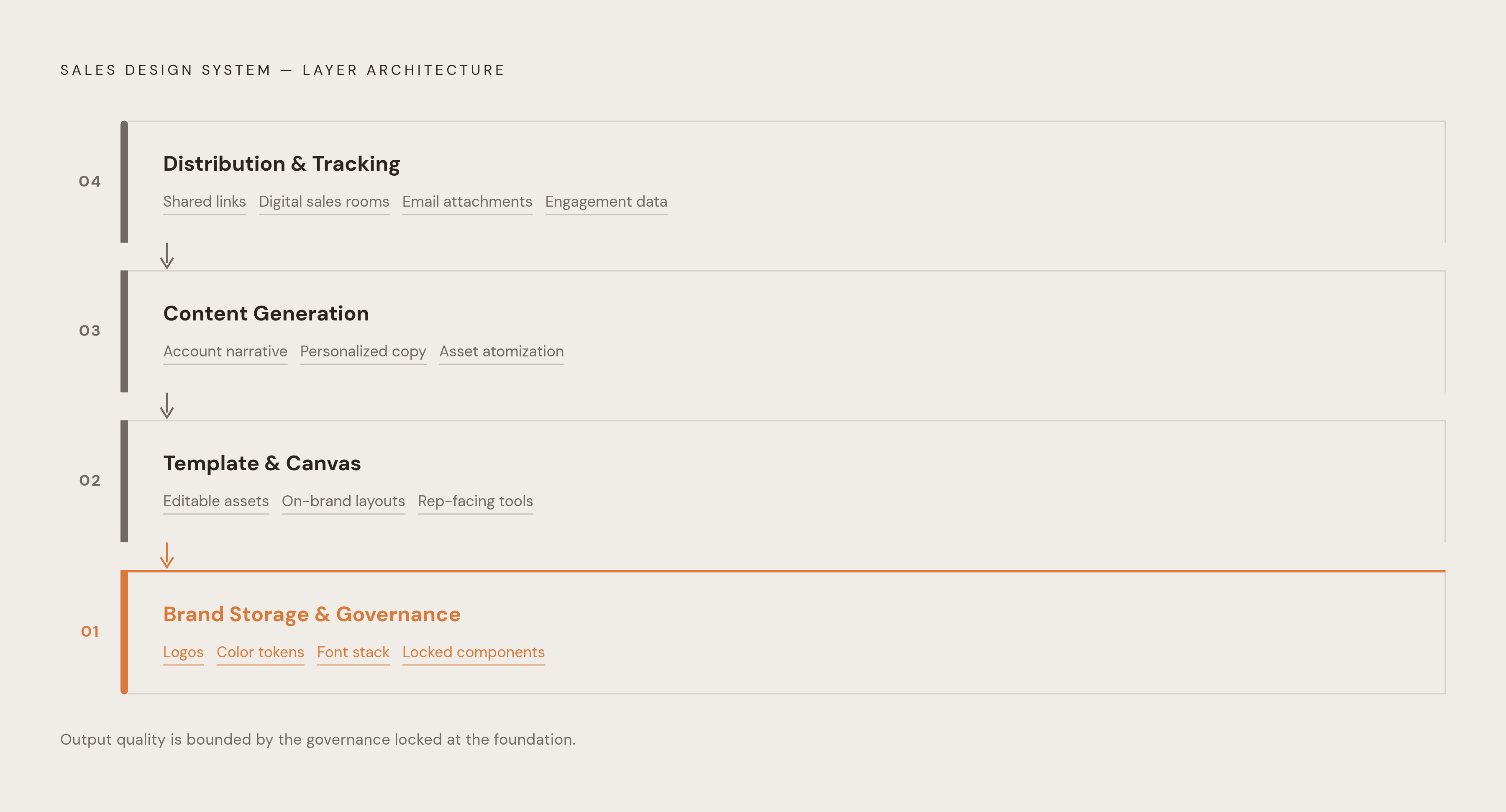
The most common mistake teams make here is hunting for one tool to do everything. A sales-facing design system has four separate layers, each needing a different kind of capability: brand storage, template production, content generation, and distribution.
Brand storage and governance holds the single source of truth, logo files, color tokens, the font stack, the locked components that populate automatically into every template a rep touches. A minimal 2026 team can run this layer with surprisingly few people: a Design Systems Lead handling strategy and governance, a Design Systems Engineer owning the components and the AI tooling underneath them, documentation written by AI, and changelog maintenance automated straight from commits. That setup lets a small team govern a large user base without drowning in requests. For teams without a dedicated design systems engineer on staff, an AI-powered design platform that stores the brand kit once and applies it automatically across every asset type can fill this role directly.
The template and canvas layer is where reps actually spend their time, and it has to be a real, editable canvas rather than a black box that spits out a finished image no one can touch. An editable design and a static AI image put reps in very different positions: with an editable design, reps can swap a company name, adjust a headline, or nudge a logo without the whole layout falling apart. For presentations specifically, dedicated tools offer locked themes with smart layout adjustment, brand kits pulled straight from a URL with delivery coaching, and shared brand libraries alongside template galleries. For teams that want one platform covering slides, social posts, one-pagers, and PDFs on a single editable canvas, keeping brand consistency across every format a rep touches, an AI-powered design platform built specifically for non-designers can serve as the connective layer that replaces a fragmented pile of single-purpose tools.
The content generation layer writes the account-specific narrative, personalizes outreach copy, or atomizes a long asset into platform-ready pieces, but its output feeds into the canvas layer rather than replacing it. Mutiny leads on account-specific narrative and deck copy built directly from deal context. Jasper AI leads on brand-consistent copy at scale for multi-product teams. Taplio and Kleo cover LinkedIn-specific generation and scheduling.
The distribution and tracking layer is simply where the finished asset goes, a shared link, a digital sales room, an email attachment, a LinkedIn post, and where the rep finds out whether the buyer actually opened it. Storydoc covers proposals, case studies, and interactive presentations that double as trackable shared links, while dedicated digital sales room platforms handle the more complex enterprise deals with several stakeholders involved at once.
Structuring templates so reps use them without training
A template library that needs a training session has already lost. The design of the template has to be the instruction itself: a rep opens it, knows immediately which fields to touch, and produces a finished asset without reading a single page of documentation.
Five structural decisions shape whether a library like this actually gets used or quietly ignored. Name templates by sales moment, not by format. "Executive Summary, New Logo" tells a rep exactly when to reach for it; "Clean One-Pager Template v3" tells them nothing, because reps think in deal stages, not design categories. Lock everything a rep shouldn't touch, logo, brand colors, font stack, slide master, at the platform level rather than hoping a style guide gets followed. If something can be moved, someone eventually will move it wrong.
Make the editable fields obvious. Placeholder text reading "INSERT PROSPECT NAME HERE" beats a generic gray text box every time, because it removes a decision the rep shouldn't have to make. Build for the actual export format the asset will travel through: PDFs need to export cleanly without degrading, slides that get screen-shared need 16:9 dimensions, and graphics headed to LinkedIn need to match LinkedIn's native sizing rather than getting cropped awkwardly on the way out. Design for the destination, not for whatever the design tool defaults to.
Finally, limit the library to what reps actually need. A bloated library signals that no one ever decided what belonged in it. Starting with five to eight asset types that cover most customer-facing moments, and adding more only on purpose, keeps the system usable instead of overwhelming.
SPOTIO's field sales research offers a useful gut check here. Most field AI adoption clusters around the easiest possible use cases, email personalization, call recording, precisely because those tools don't demand deep CRM integration or any real change in how a rep works day to day. A template system that demands a new habit, a new login, or a new five-step process to produce one simple asset is fighting the same gravity, so building the system to slot into the rep's existing motion is what makes adoption the default.
Sources
- Sales team management is being reshaped by AI, incentive design, and the return of human judgment
- Best AI Sales Tools for Field Teams (2026) - SPOTIO
- How are B2B sales teams using AI in 2026? - MutinyHQ
- AI Sales Operations: 7 Powerful Ways to Transform B2B Sales Operations
- What is a Sales Workflow? Stages, Benefits & Automation
- Design systems team structure in 2026 - by Romina Kavcic